
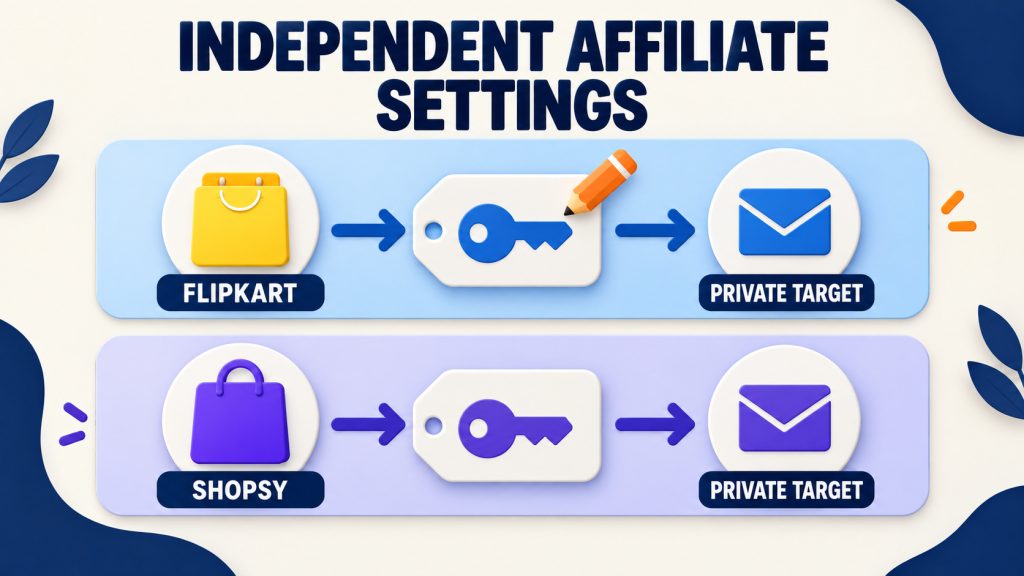
Keep each marketplace tied to the account and channel you intended. RedFox Auto Forward Telegram has independent Flipkart and Shopsy affiliate settings. You can change or disable one marketplace’s direct-ID processing without implicitly changing the other, and organize separate task routes when the audiences or operating rules differ.
“Separate settings” does not mean your two ID strings must always be different. It means AutoForward does not infer the Shopsy value from Flipkart, and a working Flipkart account does not prove Shopsy accepts that identity or placement. Validate each marketplace independently, then save the appropriate value in its own setting.
Product identity: use RedFox Auto Forward Telegram (@AutoForwardNew_Bot). The previous @Auto_Forward_Messages_Bot has moved to this current handle. Manage your routes through the official Web dashboard, iOS app, or Android app.
AffiliateTelegram is AutoForward Messages’ official affiliate-workflow partner. We explain account setup and use cases; AutoForward supplies the automation platform. Marketplace acceptance, permitted promotion and commissions remain with the relevant program.
1. Two settings, not one shared default
The distinction is simple: the Flipkart setting handles supported Flipkart product links; the Shopsy setting handles supported Shopsy product links. Neither setting is a fallback for the other.
Flipkart
- Setting: your independently configured Flipkart affiliate ID, named
flipkart_aff_idin the configuration contract. - Supported product scope: Flipkart product paths containing
/p/itm..., including supporteddl.flipkart.com/dl/...product paths. - If unconfigured: the Flipkart direct-ID converter leaves its marketplace links unchanged.
Shopsy
- Setting: your independently configured Shopsy affiliate ID, named
shopsy_aff_id. - Supported product scope: supported Shopsy hosts with product paths containing
/p/itm.... - If unconfigured: the Shopsy direct-ID converter leaves its marketplace links unchanged, even when Flipkart has a saved value.
For either marketplace, a missing, null, empty or whitespace-only value in the effective configuration means no direct-ID conversion for that marketplace. It does not mean “borrow the other ID.” Supported conversion preserves the product path, non-affiliate query context and fragment while applying the corresponding configured affid.
Can I enter the same ID in both? Use whatever each applicable account or program independently confirms for you. Matching strings are not automatically wrong, and different strings are not proof of correct ownership. Do not copy one to the other solely because the stores are related, and do not invent a second value just to make them look distinct.
2. Validate the account and placement before the route
For each marketplace, establish the account or provider arrangement that supplies your ID, its supported link format, and its permitted traffic sources. Product-ID support in AutoForward is not merchant signup, account verification or permission to publish on Telegram.
- Flipkart: read the applicable Affiliate Program terms. The version retrieved on 11 October 2026, displayed as last updated 18 October 2024, explicitly prohibits Telegram promotion in section 21, Influencer Marketing. If that section applies to your account, do not use a Telegram promotion route. Do not read the generic site-and-link sections as overriding it.
- Shopsy: confirm the affiliate or creator terms attached to your own Shopsy account or provider. Shopsy’s public Terms of Use describe use of the shopping platform; they do not establish that a Flipkart affiliate ID is accepted for Shopsy or that your proposed affiliate placement is approved.
- Content: confirm you may reuse the source message, media and offer details. Access to a chat is not permission to republish everything in it.
If you use EarnKaro instead of a direct ID, use your owned verified Available key and a provider-accepted URL. In releases that support marketplace selection, Flipkart and Shopsy each choose Default or EarnKaro independently; a marketplace set to EarnKaro keeps its saved ID unused, and Final Redirect Link must be off. A task without those choices uses the legacy exclusive mode, where other active IDs—including Flipkart, Shopsy, AliExpress Tracking ID and legacy Amazon/Awin values—plus active affiliate/Shopee shortening and Final Redirect Link conflict. Detection of a shopping host is not provider acceptance, and EarnKaro is not a way around marketplace restrictions. Our supported-link workflow guide explains the mode decision.
3. Plan two routes you can audit independently
Separate tasks are useful when the audience, source or rules differ. They are an operating choice, not a technical requirement to have different ID strings. Here is a two-route plan using only private test chats you control.
Route F: Flipkart check
- Source: an empty private source reserved for your permitted Flipkart examples.
- Target: a private Flipkart-check destination, not the Shopsy-check destination.
- ID settings: your validated Flipkart value configured; Shopsy direct-ID processing unconfigured.
- Baseline rules: EarnKaro off; no optional shortening, generic redirect, link-changing Replace or AI rewriting during the first comparison.
Route S: Shopsy check
- Source: a different empty private source reserved for your permitted Shopsy examples.
- Target: a private Shopsy-check destination.
- ID settings: your validated Shopsy value configured; Flipkart direct-ID processing unconfigured.
- Baseline rules: the same simple direct-ID baseline, checked on this task rather than assumed from Route F.
An affiliate setting does not route messages. Clearing Shopsy in Route F stops that converter; it does not automatically block Shopsy posts or remove their links. Distinct sources make the initial check easier. If you later use a mixed source, configure and check the message-selection rules needed for each destination rather than assuming the ID fields filter by marketplace.
You can also configure both independently validated IDs in one direct-ID task for a genuinely mixed-marketplace audience. The corresponding setting then applies to each supported product link. Separate tasks are preferable when you want to pause, edit or expand one audience’s route without touching the other.
4. Configure, save and reopen each task
The official task guide says new tasks are created activated. Keep each source empty, create its route, and pause immediately before adding messages or changing affiliate settings. Do not create both tasks over populated real sources and rely on configuring them afterward.
- Identify Route F’s actual endpoints. Check the source and target in the paused task. Give the route a recognizable label, but do not use the label as proof of its destination.
- Configure only the intended marketplace baseline. Set your Flipkart value for Route F; leave Shopsy unconfigured. For Route S, set your Shopsy value and leave Flipkart unconfigured. Use the corresponding settings in your current management surface.
- Save and reopen each task separately. Confirm the intended value, the other marketplace’s inactive state, the source, target and paused state. Do not assume that editing Route F also configured Route S.
- Run a controlled private check only if your terms permit it. Activate one route, add one new real supported product message, inspect its actual target output, and pause again. Repeat on the other route with its own product and account.
The Affiliate Monetization guide documents opening task feature settings and saving an appropriate platform ID. These instructions describe the setting to change, not identical button labels across Web, iOS, Android and the Telegram control bot. The field names above identify the two saved values; they are not a request to paste API JSON into an app.
Open AutoForward and inspect the two task routes → If you need help choosing sources and targets first, follow our safe first-task walkthrough.
5. Use one product example per marketplace
These are non-runnable structural illustrations, not valid products, real affiliate accounts or recorded forwarding results. DEMO labels describe components rather than usable URLs. The two illustrative ID labels show which setting supplies the value, not a rule requiring different real ID strings.
Flipkart example sent through Route F
- Host:
www.flipkart.com. - Product path:
/demo-headphones/p/itmDEMOF. - Non-affiliate query:
pid=DEMO_F_VARIANT. - Before: source identity
affid=SOURCE_F. - Intended supported output:
affid=OWN_FLIPKART_ID, supplied by Route F’s Flipkart setting; the host, product path and non-affiliate query remain.
Shopsy example sent through Route S
- Host:
www.shopsy.in. - Product path:
/demo-shirt/p/itmDEMOS. - Non-affiliate query:
pid=DEMO_S_VARIANT. - Before: source identity
affid=SOURCE_S. - Intended supported output:
affid=OWN_SHOPSY_ID, supplied by Route S’s Shopsy setting; the host, product path and non-affiliate query remain.
For a real permitted check, compare the saved account value with the actual clickable output, and confirm the product, variant, caption and destination. Inspect purchase-button URLs separately from caption URLs. A save or a non-posting sample preview does not prove that a message reached the target or that a merchant credited a transaction.
Test the cross-marketplace boundary too: with Route F’s Shopsy setting unconfigured and no other link-changing rules active, a Shopsy URL is unchanged by direct-ID processing. That does not prevent the message from being forwarded. Do not confuse “unchanged affiliate link” with “message blocked.” Search pages, foreign hosts and unverified wrappers likewise do not become supported products simply because an ID is configured.
6. Change or disable one setting without resetting the other
Keep the change small and inspect the saved result. This matters both for two-task routing and for a single mixed-marketplace task that holds both values.
Change Shopsy while retaining Flipkart
- Pause the affected task. Record the current Flipkart value and actual endpoints privately so you can compare them afterward.
- Edit only Shopsy. Replace it with the value independently supplied for your Shopsy account. Do not replace the whole affiliate configuration to change one ID.
- Save and reopen. Confirm the new Shopsy value, the unchanged Flipkart value, the same endpoints and the paused state.
- Recheck both marketplaces. In a permitted private check, confirm the changed Shopsy output and that Flipkart still uses its previous setting before expanding.
Disable Flipkart while retaining Shopsy
- Intended saved state: Flipkart direct-ID processing inactive; Shopsy’s configured value unchanged.
- Expected converter boundary: Flipkart links remain unchanged by that converter; supported Shopsy products can still use the Shopsy setting when the task is running.
- What it does not do: pause the whole task, remove Flipkart posts, change Shopsy’s account, or clear unrelated rules.
Clearing a value is not omitting an edit. At the API level, omitting one field from a partial update preserves its previously saved value; an explicit empty string or null clears that marketplace’s ID. Missing/null/empty/whitespace behavior describes the effective value used for conversion. It does not mean leaving a field out of an update erases an existing ID.
Use the clear or disable action provided by your current interface and reopen the result. The documented Telegram control-bot settings translate clear or 0 into an empty saved value; those are control-bot input commands, not special API values or universal app instructions. Do not enter them as affiliate IDs in another surface. Do not clear the entire affiliate group just to switch off one marketplace.
Your expansion check: account, setting, route, output
- Account: each marketplace or provider independently accepts the identity and proposed placement.
- Setting: each saved value belongs in its corresponding marketplace setting, regardless of whether the two strings match.
- Route: sources, targets and any message-selection rules suit that audience; no broad all-task edit was used for a single-route change.
- Output: the actual product, non-affiliate context, intended ID and clickable surfaces were checked privately. If delivery is uncertain, read the target before resending.
Once the baseline is right, add formatting or eligible optional shortening one feature at a time. Shortening has its own settings; switching it off is not the same as clearing an affiliate ID. For eligible direct-ID results, TeleURL failure retains the final long destination. Failed or unconfirmed EarnKaro conversion is not a successfully converted original message.
Activated tasks run in RedFox’s cloud without leaving the Web dashboard or app open. Close the interface when you are finished managing a configured route, but explicitly pause a task when you need it to stop. Each marketplace or network—not the configuration screen—determines attribution and commission.
Review your Flipkart and Shopsy settings independently → Start with two clear private routes, or one genuinely mixed route with independently confirmed settings. For the broader channel design, read our Telegram affiliate workflow overview.