
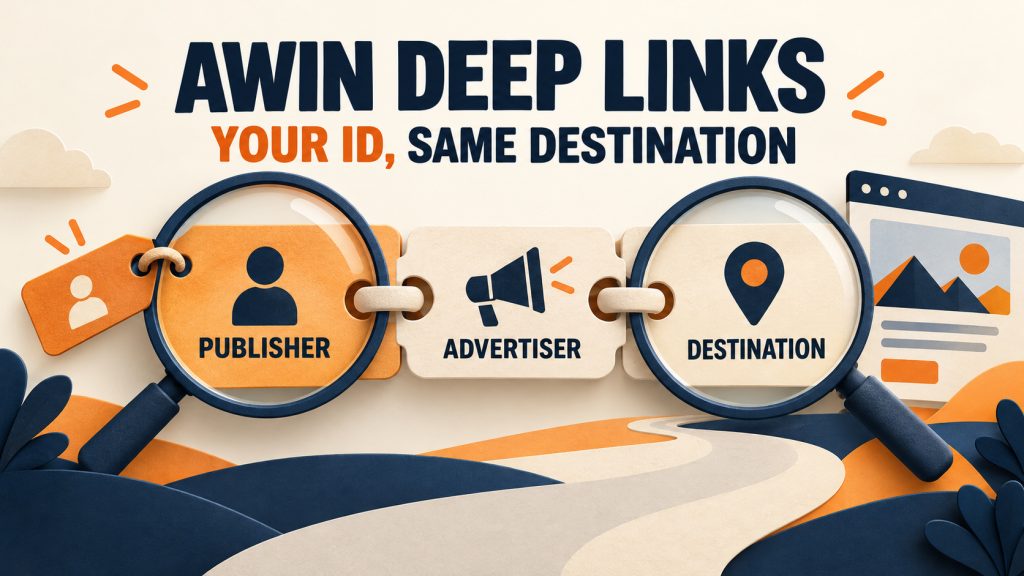
Apply your own Awin Publisher ID to supported forwarded links while keeping the advertiser and deep-link destination intact. RedFox Auto Forward Telegram can handle the publisher-tracking change as part of a forwarding task, so you do not have to edit each eligible deal link by hand. The useful check is two-part: does this link identify my publisher account, and does it still take the reader to the intended advertiser page?
This guide focuses on an existing Awin deep link carrying awinaffid, not on turning any merchant URL into an Awin link. Start with a valid link generated for a programme you can promote, configure your own ID, and compare the source with a permitted private output before expanding the route.
Product identity: use RedFox Auto Forward Telegram (@AutoForwardNew_Bot). The previous @Auto_Forward_Messages_Bot has moved to this current handle. Manage tasks through the official Web dashboard, iOS app or Android app.
AffiliateTelegram is AutoForward Messages’ official affiliate-workflow partner. AutoForward supplies the automation platform; Awin and the advertiser govern programme participation, permitted promotion and commission attribution.
1. One link contains three different identities
Awin’s affiliate-link reference identifies the advertiser and publisher separately. For its documented www.awin1.com/cread.php deep-link format, inspect these fields:
Your Publisher ID: awinaffid
- Meaning: the publisher account associated with the tracking link.
- Your task setting: enter your own Awin Publisher ID, also called Affiliate ID. The current configuration contract names it
awin_aff_id. - Do not substitute: the source publisher’s value, an advertiser ID, or a product’s SKU.
The advertiser’s ID: awinmid
- Meaning: the advertiser programme identified by this deep link.
- What to preserve: the valid advertiser identity from the original account-generated link.
- Do not substitute: your Publisher ID. These fields do different jobs even if both values look like numbers.
The page being promoted: ued
- Meaning: the encoded destination URL for a particular product, category or other advertiser page.
- What to preserve: the intended destination and its encoding during the publisher change.
- What to inspect: the actual landing product and any relevant variant, seller or page choice—not just the advertiser’s brand name.
A deep link is valuable because it sends readers to the relevant page rather than making them start again at a homepage. Awin’s deep-link guidance also notes that some advertisers do not allow deep linking. Confirm your participation, the programme’s deep-link support and the terms for your intended placement before activation; the automation setting does not grant programme approval.
2. Copy the ID from your own Awin account
According to Awin’s Publisher ID help page, after signing in you can find the number in parentheses beside your account name at the top right of the dashboard. Its alternative documented route is Account → Profile → Overview, where the ID appears below your name.
Use that account value rather than copying a number from a forwarded message. If you operate more than one publisher account, record which account this task belongs to before entering the ID. These are Awin’s documented navigation instructions, not a claim that we inspected your signed-in dashboard.
Also retain one valid deep link generated by your account for the advertiser you intend to promote. Awin’s Link Builder instructions describe Toolbox → Link Builder, selecting the advertiser, entering the destination and generating the link. Use its tools rather than constructing a production tracking URL from the anatomy below.
3. Start with the documented deep-link shape
For this workflow, choose an existing HTTP(S) Awin link on the exact host www.awin1.com, using the documented /cread.php deep-link shape with awinmid, awinaffid and ued. The inspected processing source changes awinaffid on recognized direct Awin URLs while retaining unrelated query items and the destination. It is not an advertiser-discovery service or a link-generation API.
Keep the scope exact: this is source-backed processing guidance checked on 13 October 2026, not a live test of every Awin link type. Do not infer compatibility for a different tracking host, an opaque short link, a raw merchant page, or every banner and datafeed format merely because Awin lists them as affiliate links.
Awin’s reference uses different publisher parameter names in other formats, including id, a and r. The inspected AutoForward path changes awinaffid; it does not establish equivalent rewriting of all those alternative names. Adding a second publisher parameter to an unfamiliar format is not a verified repair. Choose the documented deep-link baseline or have the exact alternative format checked separately.
Generation and forwarding are different stages. Awin recommends a clean original advertiser URL when creating a link in Link Builder. Once you have the valid generated deep link, do not strip its tracking query or decode and rebuild ued as a “cleanup” step during forwarding. Preserve the supplied destination, then inspect the landing page.
4. Save the Awin setting in a paused private route
- Prepare a route you control. Use private source and target chats with content you have permission to use. If creating a task, keep the source empty and pause immediately after creation: the official task guide documents activation on create. Add no sample while configuring.
- Open Affiliate Monetization. The official monetization guide documents opening the task’s feature settings, enabling the intended platform, entering its corresponding ID and saving. Enable Awin and enter your own Publisher ID; leave unused platforms disabled.
- Keep the first baseline inspectable. Leave optional Awin shortening off and isolate any task-scoped rule that could replace the purchase link. If shortening settings are inherited, check the effective common setting too. Do not change an unrelated working task.
- Save and reopen this exact task. Confirm the Awin setting, own ID, source, target and paused state. A filled form is not proof that the value was saved. If the save times out or its result is unclear, read the current task before another save.
- Check one permitted sample separately. A server-dependent non-posting preview can help inspect draft content, but cannot prove delivery. When ready for a private forwarding check, use one clearly labeled new sample, inspect the actual target and pause again before further edits.
Closing the app or dashboard does not pause a task: activated forwarding runs in the cloud without leaving the management interface open. Pause the task itself before changing its endpoints or link treatment. The first-task guide covers the wider route checks.
For an API-created or migrated task: the current nested awin_aff_id takes precedence over the legacy task-level Awinaffid, even when the nested value is empty. Have support inspect the effective saved configuration if those representations disagree. Do not overwrite the whole settings group to fix one value. Saved-state readback confirms storage, not that a particular runtime has loaded the converter.
5. An original deep-link comparison worksheet
This is a non-runnable inspection example, not a working URL or an executed conversion result. Bracketed tokens stand for fields in an actual Awin-generated deep link. No advertiser, product, offer or account value is invented.
Source structure to record
- Host and path:
www.awin1.com/cread.php. - Advertiser:
awinmid=[ADVERTISER_ID]. - Publisher:
awinaffid=[SOURCE_PUBLISHER_ID]. - Destination:
ued=[ENCODED_ADVERTISER_PAGE]. - Other fields: retain any valid account-generated optional parameters, such as
clickref, for comparison; do not invent additional tracking values.
Expected comparison—not a fabricated output
- Publisher field: the inspected target should carry
awinaffid=[YOUR_PUBLISHER_ID]. - Advertiser field:
awinmidshould still identify the same advertiser programme. - Encoded destination:
uedshould retain the intended advertiser page; compare its source value and, for inspection, the decoded destination. - Other content: inspect the surrounding message and any later rules separately. Publisher replacement is not a reason to invent a price, discount or coupon.
Three practical decisions
- Different publisher, same valid deep-link format: this is the intended tracking-replacement comparison. Inspect both your ID and the retained landing page.
- Your publisher already present: a lack of visible change can be correct. Check the actual destination rather than requiring a different-looking URL.
- Raw merchant page or unfamiliar Awin format: do not declare it covered by the example. Generate a valid baseline through Awin’s tools, or obtain format-specific evidence before using that input.
6. Inspect the source, final link and merchant landing together
- Read the real source URL. Inspect embedded text links as well as visible URL text. A “Buy here” label is not the destination.
- Read the actual target URL. Compare
awinaffid,awinmidanduedwith the worksheet. If a later Replace rule changed the link again, inspect that final result—not only an intermediate conversion. - Check the landing page. Confirm the intended advertiser and product/page. If it lands on a homepage, a different item or an unexpected app route, investigate the exact link and programme before expanding. Awin’s Link Builder troubleshooting guide distinguishes destination-format issues, advertiser tracking availability and advertiser-selected app destinations.
- Check purchase buttons independently. A correct caption URL does not prove the URL behind a button received the same processing.
- Separate tracking from business results. Your ID in the link is a processing observation; delivery, network-attributed orders and validated commissions require their own evidence.
Optional TeleURL can make an eligible final link more compact after affiliate processing and Replace. Keep the long baseline first, then add shortening only where your programme arrangement permits it. Expand the actual short result for inspection. If shortening fails, the final eligible long destination remains; shortening does not make an unsupported Awin format supported.
7. Expand only after the publisher-and-destination check
Ready to continue: your own ID is saved in the intended task, a permitted private result uses the documented shape, the advertiser and destination match, and your account’s programme conditions are resolved. Then make any optional presentation change deliberately and recheck the final result.
Not yet clear: leave the affected route paused and preserve a sanitized source/output comparison. Record parameter names, redacted values, whether the landing page matched, the task’s confirmed settings and the time. Do not share credentials or repeatedly repost to resolve an unknown result. Use the affiliate-link diagnostic checklist for a stage-specific recovery.
Open AutoForward and configure a paused Awin baseline → For the choice between ID processing and other modes, see which affiliate links AutoForward can process. Your working rule is simple: change the publisher identity deliberately, preserve the intended destination, and inspect both before scaling.