
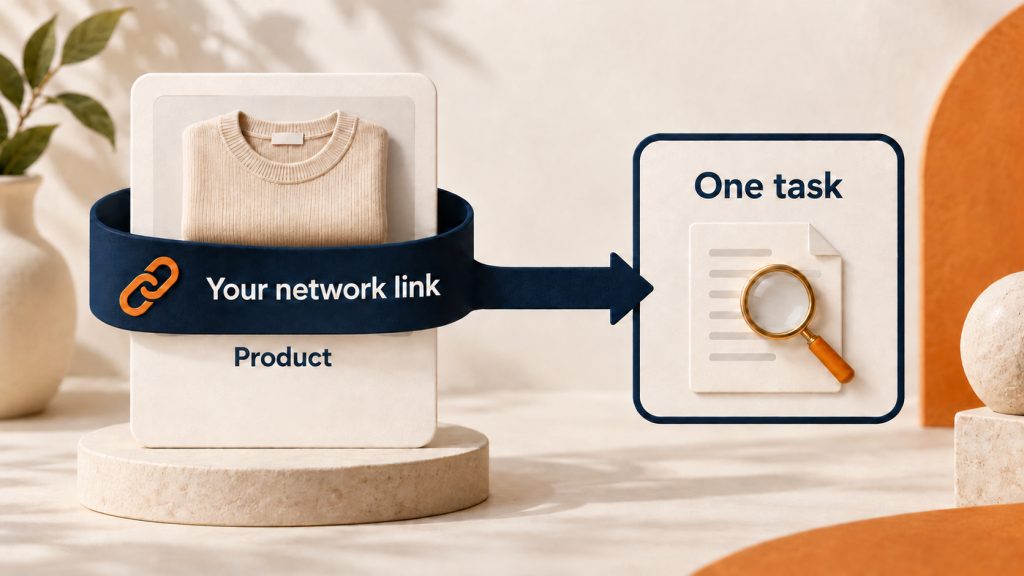
A Myntra deal can keep its product destination while carrying the affiliate-network link you are entitled to use. In AutoForward, the route is a task-scoped Replace rule built around your network’s valid link—not a guessed tracking parameter added to a Myntra URL.
This guide helps you choose that route, prepare a precise replacement and check the destination before extending it to more posts. The link map below is a structural teaching example, not a runnable provider template or a recorded conversion.
About this guide: AffiliateTelegram is AutoForward’s official partner for affiliate workflows. AutoForward supplies the forwarding and automation platform; your merchant or network supplies affiliate eligibility, link generation and tracking.
Choose the link route before writing a rule
The AffiliateTelegram product overview identifies Myntra affiliate-network wrappers as a Replace use case. There is no dedicated Myntra ID field. That does not mean Myntra posts cannot be automated: it means the network’s link format, rather than a universal Myntra tag, defines the replacement.
Network-link replacement
Use this route when your provider has generated an appropriate link for your own account, or has supplied a documented wrapper template you are allowed to use. Replace changes the selected source URL into that valid network link. It does not enroll you in the program or validate the affiliate account.
EarnKaro conversion mode
EarnKaro is a separate API-key converter, not a Myntra ID setting. It requires your own verified Available key. In releases that support marketplace selection, a direct Myntra destination, or one whose destination has been verified, can be eligible for Other only if it is not already handled by a valid separately configured converter. Choosing EarnKaro for that eligible link asks the provider to try conversion; it does not guarantee support. An unresolved Myntra-related wrapper is not enough to select this path, and optional TeleURL can follow an EarnKaro-selected link only after confirmed conversion. Final Redirect Link must be off for that selection. A task without those choices uses the legacy exclusive mode, where other active affiliate IDs, affiliate shortening and Final Redirect Link conflict. Either way, do not combine an EarnKaro conversion recipe with a network Replace recipe for the same link.
Choose one link-building route for the pilot. For the broader marketplace distinctions, see the supported affiliate-link guide.
Start with a link generated for your own account
A useful source is your provider’s own link-generation guidance. For example, Cuelinks’ Myntra example describes finding the campaign, pasting the chosen product URL and generating an affiliate link. EarnKaro’s own guide separately describes copying a Myntra product URL into its Make Link flow. These are provider-generated links; neither page establishes a universal URL string that every publisher can construct by hand.
Before preparing your rule, collect:
- The exact Myntra product URL and the product or selected variant it should open.
- The corresponding link generated by your own eligible network account.
- The applicable campaign, market and placement conditions for the Telegram destination you intend to use.
- Any provider instructions on deep linking, encoding and extra shortening.
Keep the provider-generated URL intact. Do not substitute another publisher’s identifier, copy a tracking link from an unrelated deal channel, or append invented fields such as a supposed Myntra affiliate tag. A public provider tutorial is not confirmation of your own account’s campaign or placement eligibility.
Map one product without rebuilding its URL
The simplest first mapping is an exact product URL replaced by the complete network-generated link for that same product. It is intentionally narrower than a rule that attempts to wrap every Myntra URL.
Structural example only—non-runnable. The bracketed entries are descriptive placeholders, not URLs, provider syntax or values to paste into AutoForward.
- Product destination
- [EXACT MYNTRA PRODUCT URL AND SELECTED VARIANT]
- Find
- [EXACT SOURCE URL FOR THAT PRODUCT]
- Replace with
- [COMPLETE OWN NETWORK-GENERATED LINK FOR THE SAME PRODUCT]
- Apply to
- [ONE PRIVATE PILOT TASK ONLY]
- Observed destination
- [LEAVE BLANK UNTIL CHECKED]
This map separates the product from the wrapper that tracks the referral. The provider may encode the destination inside the wrapper or issue an opaque short link. Do not decode and reconstruct it just to make it look tidier: changes to percent encoding, nested query separators or a signed value can change the destination or invalidate the link.
Exact text matching still needs inspection. A source URL may also appear inside a longer URL or an HTML link. Check the complete clickable target, not only the displayed words. If the source posts use different URL shapes, record each shape rather than broadening a rule blindly.
A reusable regex wrapper is a later step. It requires the provider’s actual template, supported destination encoding and successful private checks across the URL shapes you plan to process. This article does not supply that account-specific template or claim it has been tested.
Apply the replacement to one task
AutoForward’s Replace documentation describes Basic and Regex replacements and the Apply For Task control. Use Basic for an initial exact-link mapping; use Regex only when the provider format and matching behavior have been established.
- Choose an owned private pilot source that is empty and under your control, with no unrelated source feeds selected. Choose a private target you are authorized to use.
- Create the pilot only when ready to control it, then pause it immediately before configuring the rule. Task creation can activate forwarding; an empty controlled source avoids an unintended live input during setup.
- Create the rule from the exact source URL and the complete corresponding own network link. Explicitly select the pilot in Apply For Task; do not leave the scope blank or use an all-tasks action.
- Open that task’s Replace settings and confirm that the intended rule is active there. Reopen the saved rule and task to check the actual association.
- Check other cleanup, link and formatting rules for anything that could remove or alter the URL.
The task-specific Replace guide warns that Show Header Forwarder is incompatible with Replace. Resolve that setting before relying on the replacement, while retaining any source credit you are required to provide.
Check a private result before expanding
When your server offers sample preview, use it first to inspect the draft without posting. A preview is not proof that a message reached the target or that a network tracked the link. Run a harmless private forwarding check only on a route you are authorized to use.
- Positive match: the selected product’s source URL becomes its corresponding own network-generated link.
- Different product: another Myntra URL does not become the first product’s link.
- Already wrapped: an existing network link is not wrapped again unintentionally.
- Unrelated content: other store links, required disclosure, product conditions and surrounding text stay appropriate.
- Clickable destination: the resulting link opens the intended product, market and relevant variant. Compare against the original destination.
- Task boundary: the rule is associated only with the pilot, not a separate production task.
Record the source, resulting link and final destination privately. A correct landing page does not by itself prove attribution or commission; use the network’s own approved validation tools for those questions. If any result is uncertain, pause the task and narrow the mapping before sending more posts.
Consider shortening only after validation
TeleURL is optional. For an eligible Myntra wrapper created by Replace directly on the URL, the supported shortening route runs after Replace. It is not a promise to shorten arbitrary full-message replacements or every URL that happens to mention Myntra.
Start with shortening off so you can inspect the network link itself. If your provider permits another shortener and your task supports the eligible route, enable the appropriate TeleURL setting with your own available credential and repeat the destination check. The TeleURL guide explains the distinction between conversion and presentation. A shortening failure retains the eligible long link; that fallback is not evidence of affiliate attribution.
This optional path does not override a legacy EarnKaro task’s shortening exclusion. For a link selected for EarnKaro in marketplace mode, shortening follows only a confirmed conversion; eligible Default or network-Replace destinations keep their own shortening path.
Prepare your first Myntra mapping
Bring one product, its own network-generated link and one clearly scoped pilot—not a speculative URL pattern. That gives you a useful baseline you can inspect before generalizing it.
Open the AutoForward dashboard to review your task and Replace scope, or use RedFox Auto Forward Telegram (@AutoForwardNew_Bot). If you still need the endpoint setup, follow the first affiliate forwarding-task guide.