
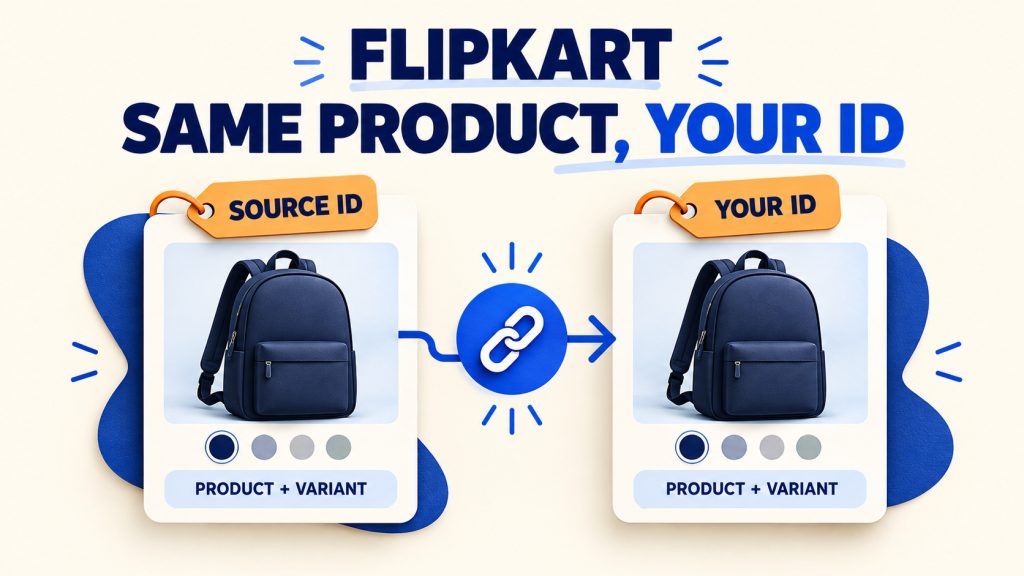
Your affiliate ID, the same product details. RedFox Auto Forward Telegram replaces the affiliate ID on supported Flipkart product links while preserving the product path, variant and offer context in non-affiliate query parameters, and fragment. That gives you a repeatable alternative to editing each incoming link by hand.
This guide explains that technical capability for product paths containing /p/itm..., including supported dl.flipkart.com/dl/... product links—not permission to promote Flipkart offers on Telegram. It does not treat every Flipkart short link or search page as convertible. Check the named account condition below before following the setup or activation steps.
Product identity: use RedFox Auto Forward Telegram (@AutoForwardNew_Bot). The previous @Auto_Forward_Messages_Bot has moved to this current handle. Manage tasks through the official Web dashboard, iOS app, or Android app.
AffiliateTelegram is AutoForward Messages’ official affiliate-workflow partner. We explain setup and use cases; AutoForward provides the automation platform. This partnership is not Flipkart endorsement or approval of your affiliate account.
1. Choose the route your existing account permits
First establish who supplies your affiliate identity. A direct Flipkart ID and an EarnKaro API key are different account routes: each Flipkart link uses one of them, not both stacked together.
Direct Flipkart ID
- Use it when: you have your own applicable Flipkart affiliate ID and permission for the proposed channel and link arrangement.
- What AutoForward does: apply the configured
flipkart_aff_idto supported product links. This does not register or verify a merchant account. - What to confirm: your account’s link-format, content-use, placement, and reporting requirements before public promotion.
Program condition, separate from AutoForward support: the Flipkart Affiliate Program terms, displayed as last updated 18 October 2024 and checked on 11 October 2026, prohibit Telegram promotion in section 21, Influencer Marketing. We have not verified a different agreement authorizing this use. The technical instructions below do not establish an exception: confirm the terms of your actual account before creating or activating a promotion route, including a private test. If that restriction applies, do not activate the route. This is a condition of the named program, not an absence of Flipkart link processing in RedFox.
EarnKaro conversion
- Use it when: your existing EarnKaro account and the provider’s current Flipkart campaign accept the intended URL and placement.
- What you need: an owned EarnKaro key verified with a real supported product URL and marked Available, selected for the task. Where your release supports marketplace selection, set Flipkart to EarnKaro deliberately; otherwise the task uses the legacy task-wide switch.
- Know which mode applies: with marketplace selection, your Flipkart ID stays saved but unused for Flipkart links set to EarnKaro, and Final Redirect Link must be off. A task without those choices uses the legacy exclusive mode: other active affiliate IDs, including Flipkart, Shopsy, AliExpress Tracking ID and legacy Amazon/Awin values, conflict. Active affiliate/Shopee shortening and Final Redirect Link also conflict; clear or disable them explicitly, rather than assuming the system removes them.
EarnKaro’s own terms make profit conditional on tracked qualifying transactions and retailer confirmation, and require compliance with retailer restrictions. An Available key proves a conversion during verification, not Telegram permission, task delivery, or commission. EarnKaro is not a workaround for a prohibited placement. For the wider choice of link modes, see which affiliate links AutoForward can process.
2. Recognize supported Flipkart product links
Read the actual host and product path, not just the message’s link label. The supported direct-ID scope is narrower than “a link with Flipkart somewhere in it.”
Standard Flipkart product URL
- Shape: a supported Flipkart host with a product path containing
/p/itm.... - Treatment: use the task’s Flipkart ID while preserving the product path, other query items and their encoding, and fragment.
Flipkart deep product URL
- Shape:
dl.flipkart.comwith a/dl/...product path that includes the supported/p/itm...portion. - Treatment: the supported product URL can receive the same configured Flipkart ID. The
/dl/prefix is not a reason to delete the rest of the path.
Outside this direct-product scope
- Example: a Flipkart search path such as
/search?q=backpackis not a supported product/p/itm...path for this converter. - Other cases: a foreign host containing a Flipkart URL, an arbitrary redirect wrapper, or an unverified short link does not establish direct-product support.
- Next action: obtain a valid supported product URL from a source you are permitted to use, or ask support about the exact sanitized link shape. Do not append an ID to an unsupported URL and call it converted.
With no other link-changing feature active, an out-of-scope input remains unchanged by the Flipkart converter. Optional redirect processing or later rules must be checked separately; enabling them is not a promise of universal short-link support.
3. Review direct-ID settings with a clear baseline
Use an empty private source and a private target you control. The official task-creation guide says newly created tasks are activated. Pause immediately after creation, before adding a message or configuring affiliate processing. For the full source-and-target walkthrough, use our safe first-task guide.
- Recheck the paused route. Confirm the actual source and target, not only the task label. Keep real audiences outside this initial check.
- Set the Flipkart ID for this task. In the task’s affiliate settings, use your own Flipkart affiliate ID. The Affiliate Monetization guide documents the feature-settings entry point and saving. Use the Flipkart-specific setting in your current interface; the configuration name is
flipkart_aff_id, not a product ID. - Leave Shopsy unconfigured for this baseline. Its separate setting is not populated from Flipkart. Keep EarnKaro off for this direct-ID baseline.
- Keep later link changes out. Leave optional shortening, Final Redirect Link, link-changing Replace rules and AI rewriting out of the first comparison.
- Save and reopen. Verify the saved Flipkart value, source, target, and paused state. Saving is a configuration check, not a forwarding receipt.
Copy the ID from your account rather than another publisher’s post. Remove accidental leading or trailing spaces. A missing, null, empty or whitespace-only configured value leaves Flipkart unchanged under the current contract; it does not supply a default affiliate ID.
4. Compare the same product before and after
The following components are a non-runnable structural illustration, not a real product, valid account ID, live deal or recorded conversion. The DEMO labels explain what changes. Do not assemble or paste them into a task; use a real permitted product URL for your own check.
Standard product: only the affiliate identity changes
- Host before and after:
www.flipkart.com. - Product path before and after:
/demo-bag/p/itmDEMO. - Non-affiliate query before and after:
pid=DEMO_VARIANTandlid=DEMO_LISTING. - Fragment before and after:
#DEMO_DETAILS. - Source affiliate query:
affid=SOURCE_ID. - Intended supported output affiliate query:
affid=OWN_FLIPKART_ID.
Query items follow a question mark and are separated by ampersands; the fragment follows a hash. Keep the product and non-affiliate components rather than “cleaning” the link by removing the entire query. The converter replaces old affiliate identity with one configured ID instead of accumulating repeated affid keys.
Deep product: preserve the deep-link path too
- Host before and after:
dl.flipkart.com. - Product path before and after:
/dl/demo-bag/p/itmDEMO. - Non-affiliate query and fragment: the same illustrative variant, listing and fragment components above stay intact.
- Affiliate change:
affid=SOURCE_IDbecomesaffid=OWN_FLIPKART_ID.
Preserving URL context is not a stock or price check. Compare the actual landing product and selected option with your caption: a color, size, pack, seller or offer can matter even when the product name looks unchanged.
5. Check one real private output before expanding
If your applicable terms allow this use, activate the configured private route and add one new message containing a real supported product URL you are allowed to use. Inspect its actual target output, then pause again before changing the configuration. These are checks for you to perform, not results obtained for this article.
- Product: the host, product path and landing page still represent the intended item.
- Variant and offer: non-affiliate query values and fragment survive; the selected product option matches the caption.
- Affiliate identity: the actual clickable destination has your intended
affid, not merely visible text showing your ID. - Message: description, price text, coupon conditions and required disclosure have not been removed or invented. Check current deal facts separately.
- Other clickable surfaces: inspect hidden text links and purchase buttons separately. Correct caption processing does not establish button conversion.
After the standard product case, check a real supported deep product link and an out-of-scope search URL separately. The search case checks the unchanged boundary, not a second supported conversion. If a message’s delivery is uncertain, inspect the exact source, task and target before resending.
The sample-preview overview describes a server-dependent non-posting preview. It can help inspect text, but it is not a Telegram send or merchant reporting result.
6. Add optional shortening only after the baseline is right
In the eligible direct-ID workflow, affiliate conversion happens before Replace and optional TeleURL shortening. Restore needed rules one at a time, keeping them scoped to this task. Inspect the final destination again: a later rule can substitute another URL or reintroduce another publisher’s ID.
TeleURL shortening is optional. It can shorten eligible final Flipkart destinations when correctly configured with your owned Available TeleURL key. If shortening fails, the eligible final long affiliate or Replace URL remains. A compact link does not expand product compatibility or prove attribution. Confirm your program’s rules for the shortening arrangement before public use. A legacy EarnKaro task cannot have active affiliate shortening; when Flipkart is set to EarnKaro in marketplace selection, TeleURL can shorten its link only after a confirmed EarnKaro conversion, using Flipkart’s effective shortening setting and key.
Activated tasks run in RedFox’s cloud without keeping the Web dashboard or app open. That removes the need to keep a phone screen on, but closing the interface does not pause a task. Explicitly pause before editing rules or switching to a real source or destination.
Your next step: match the account terms, then review the settings
- Existing permitted direct-ID account: prepare one paused Flipkart task and compare a real supported product output against its source.
- Existing accepted EarnKaro workflow: use an owned verified Available key and provider-accepted URL. Where marketplace selection is supported, choose Flipkart’s converter deliberately; keep a legacy EarnKaro task free of active direct IDs.
- Account or placement unresolved: first review the applicable terms and obtain account-specific clarification from the merchant or provider. Do not create or activate a promotion route, including a private test, on the assumption that it is exempt. A successful configuration save is not account admission.
Flipkart or your chosen network determines recorded transactions and commissions. An ID in the URL proves neither a sale nor payment; do not manufacture proof through self-orders or repeated test purchases.
Start with the account decision: review the applicable Flipkart terms and resolve any placement uncertainty. Once your actual arrangement explicitly permits the intended use, review your own-ID settings in AutoForward → and keep the baseline paused until ready for a permitted check. For other account modes and channel design, see our Telegram affiliate workflow overview.