
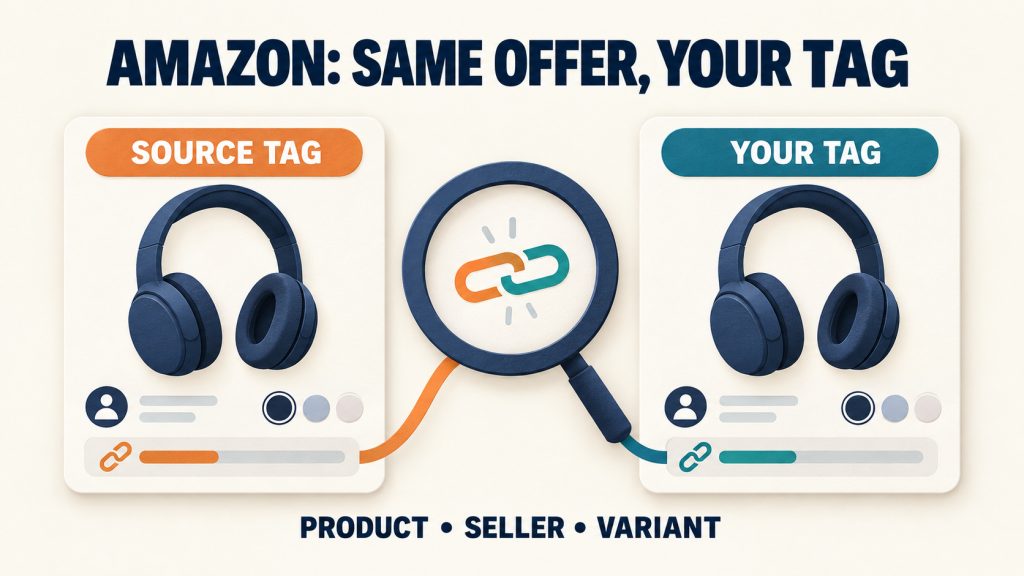
You can stop replacing Amazon tags by hand without changing which product your deal points to. In RedFox Auto Forward Telegram, configure your own Amazon Associates tag for a task. AutoForward applies it to supported links during forwarding. For the supported Amazon India path, it preserves the destination, product, seller and variant information, non-affiliate query parameters, and fragment while changing the affiliate tag.
The useful check is not just “does my tag appear?” It is “does this still open the same marketplace and the same offer, with my intended tag?” A supported redirect can also be processed when its actual Amazon India destination is verified; a familiar short-link host alone is not enough.
Product identity: use RedFox Auto Forward Telegram (@AutoForwardNew_Bot). The previous @Auto_Forward_Messages_Bot has moved to this current handle. Manage your task in the Web dashboard, iOS app, or Android app.
AffiliateTelegram is AutoForward Messages’ official affiliate-workflow partner. We explain affiliate setup and use cases; AutoForward provides the automation platform. Amazon determines program eligibility, permitted placements, and commission attribution.
1. Match your Amazon tag to the existing marketplace
Copy the tracking ID from your own Amazon Associates account for the marketplace you intend to serve. Do not copy the source publisher’s tag, infer yours from an example suffix, or substitute a product identifier such as an ASIN. The configuration field is amazon_tag; the documented India workflow uses this existing setting, not a separate country-switching control.
Tag replacement does not move a deal to another country. Keep an Amazon India destination on amazon.in when that is the intended product and market. Replacing the domain with amazon.com is not equivalent: the listing, seller, currency, availability, and variant may differ. Separate tasks are easier to audit when your channels need different tags or markets; one tag setting should not be treated as an automatic per-country selector.
Before distributing links, review the rules that apply to your account. Amazon’s India Operating Agreement requires acceptance into the program, properly formatted Special Links, and compliance with its linked requirements. Its Participation Requirements include restrictions concerning mobile placements, use of licensed content, links on sites other than your own, and obscuring the referring site. The agreement separately addresses Approved Mobile Applications. These documents are not blanket approval for Telegram distribution; if your intended channel, content reuse, or redirect arrangement is unclear, confirm it with Amazon before public distribution.
For a US account, use the US Associates Program Policies instead. US qualifying-purchase rules do not establish what is allowed in India or another market. A working conversion setting does not admit you to a program.
2. Configure an Amazon-only test task
Use a task whose source and target are private test channels you control. Keep the source empty until configuration is ready. The official task-creation guide says new tasks are activated, so pause a new task immediately before adding messages or changing settings.
- Open that paused task. Recheck its source and target rather than relying on a familiar label.
- Open feature settings → Affiliate Monetization. Enable Amazon and enter your own appropriate tracking tag. This settings sequence comes from the official Affiliate Monetization guide.
- Keep the baseline simple. Leave optional shortening, Final Redirect Link, link-changing Replace rules, AI rewriting, and product-information fetching out of the first comparison. This is a direct-tag task, not an EarnKaro task.
- Save, reopen, and inspect. Confirm the Amazon setting, saved tag, same source and target, and paused state. A save confirms configuration, not a forwarded or attributed purchase.
The monetization guide also documents optional Auto Fetch Product Info. It is not required to apply your tag, and product information depends on the link and Amazon’s data. Keeping it out of the baseline makes it easier to check that your original caption and offer conditions survived.
Open AutoForward and prepare one Amazon tag check → Use your existing affiliate account and a private destination, not a public audience.
3. Compare a direct Amazon India link before and after
The following is a structural illustration, not a working product link or recorded conversion. Angle-bracket values stand for an actual ASIN, seller identifier, and tag. Do not paste this illustration into a task or use it as an offer.
Source
- Illustrative URL structure:
https://www.amazon.in/dp/<ASIN>?tag=<source-tag>&seller=<seller-id>&th=1&psc=1#<fragment>
Intended supported output
- Illustrative URL structure:
https://www.amazon.in/dp/<ASIN>?tag=<your-tag>&seller=<seller-id>&th=1&psc=1#<fragment>
Only the affiliate tag changes in this example. The host, product path, other query values, and fragment stay intact. Non-affiliate query parameters can carry offer context; deleting everything after the question mark to make a URL “clean” can remove more than the source’s tracking.
Compare the actual landing page too. A preserved URL is useful, but it cannot freeze a seller’s stock, an offer price, or the currently selected option on a changing product page. Check the specific color, size, pack, seller, or purchase option that your caption describes. Preserve the source’s price and coupon text during processing, then verify those claims before sharing; retagging is not a freshness check.
4. Check a supported redirect by its verified destination
For Amazon India, the documented supported redirect families include amazn.ltd/share/..., link.amazon/..., amzn-to.co/..., and supported TinyURL redirect chains. Processing depends on the verified Amazon India destination, not merely the name of the input host or an Amazon URL embedded inside a wrapper’s query.
A supported TinyURL chain resolves to a supported Amazon India destination
- How to treat it: The verified destination can receive your configured tag while preserving its non-affiliate destination details. Compare those details with the original resolved destination.
The host looks familiar, but the chain cannot be verified
- How to treat it: The link remains unchanged. Do not label it converted merely because it came from a listed host.
A wrapper contains an Amazon URL in a query, or needs an unsupported JavaScript redirect
- How to treat it: That does not establish a supported destination. Use a valid supported direct link from an authorized source or ask support about the sanitized chain.
Illustrative redirect case: tinyurl.com/<alias> → verified supported amazon.in destination → that destination with your tag. This is a decision model, not an assertion that any particular alias was tested. Some supported destinations are promotion or storefront pages rather than single products; check the intended landing page instead of demanding an ASIN for every case.
Do not enable generic Final Redirect Link as a universal fix. The scoped Amazon resolver is not a promise to process every wrapper, every Amazon domain, or every page that runs JavaScript.
5. Verify five things in the actual destination
Activate the configured private task and send one new message with a real supported direct Amazon link you are allowed to use. Inspect the actual target before testing a redirect case. These are checks to perform, not results already obtained by this guide.
Marketplace and landing page
- What a useful comparison establishes: The link still leads to the intended Amazon market and product, promotion, or storefront—not a different country or a homepage.
Product, seller, and variant
- What a useful comparison establishes: The path and non-affiliate URL details are preserved; the page matches the offer and selected option you intended to share.
Tracking tag
- What a useful comparison establishes: The actual destination URL carries your intended tag, not merely text displaying your tag.
Caption and conditions
- What a useful comparison establishes: Product description, currency, price, coupon conditions, and required disclosure have not been lost or invented.
Every purchase link
- What a useful comparison establishes: Caption links, hidden text links, and purchase-button URLs are inspected separately. A correct caption does not prove button conversion.
If delivery is uncertain, inspect the source, exact task route, and target before resending. A server-dependent sample preview can help inspect draft content but does not post a message. After the private check, pause again before making changes.
6. Add formatting and shortening without hiding a tag mistake
Once the baseline is right, restore only the rules your channel needs, one at a time. In the eligible direct-ID workflow, affiliate processing happens before Replace and optional TeleURL shortening. A later Replace rule can remove the purchase link, restore an old tag, or substitute another destination. Scope rules to this task and avoid broad all-task changes; see the official Replace guide.
Shortening is optional, not a second attribution method. For eligible results, TeleURL can shorten the final supported destination. If shortening fails, the eligible long affiliate or Replace URL remains; check its tag and landing page. The Amazon US literal product-URL-and-tag mode is outside this TeleURL shortening path. Neither a compact link nor a long-link fallback proves a qualifying purchase. Check Amazon’s rules for your proposed shortening arrangement before using it publicly.
Activated tasks run in RedFox’s cloud, so you do not need to keep the management app open. Closing the app is not a pause command: explicitly pause when changing links, rules, or destinations.
Your release decision: same offer, intended tag, permitted placement
- Proceed with the configured route when the real private output preserves the intended offer and tag, the final rules pass the same checks, and your account’s placement requirements are satisfied.
- Keep the task paused when the seller, variant, country, or link destination changes unexpectedly. Reduce the configuration and investigate the actual URL before public distribution.
- Ask support about the exact input when a redirect stays unresolved. Send its sanitized host/path shape, expected destination, and observed result—not credentials or a claim that all links on that host must work.
Amazon’s reports determine recorded orders and commissions under its own rules. Seeing your tag is evidence of link treatment, not proof of a sale or payment. Do not make a self-purchase or generate repeated test clicks to manufacture commission proof.
If you need the wider channel design, start with our Telegram affiliate workflow guide. For this Amazon decision, the next useful action is smaller: configure your tag and inspect one private output, using the official iOS or Android app if you prefer mobile.