
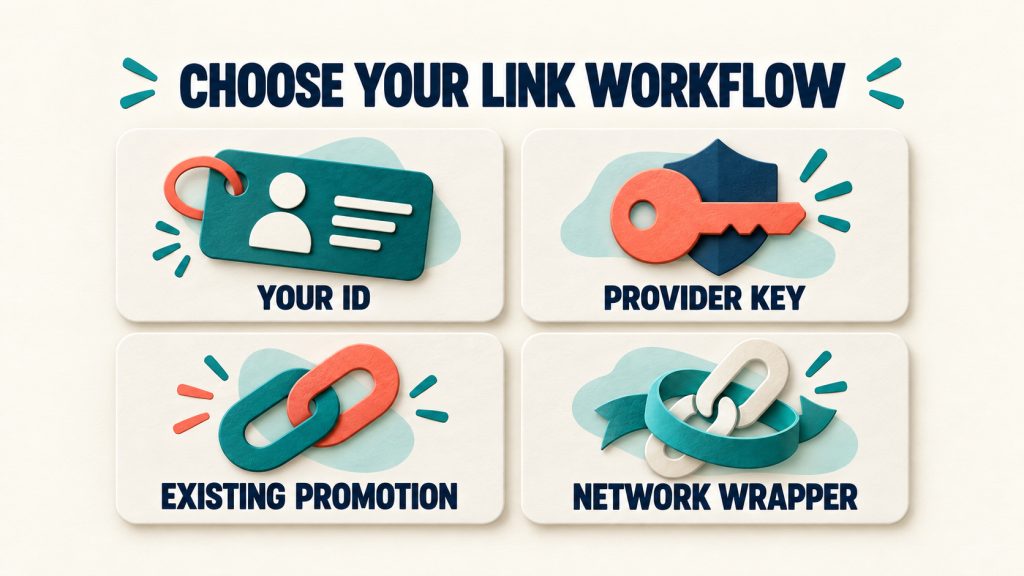
Choose an affiliate-link workflow by how your link is created—not just by the store logo. AutoForward can apply your configured IDs to supported Amazon, Awin, Flipkart, Shopsy, Shopee, and eBay links. EarnKaro instead uses your own verified API key, chosen per marketplace in releases that support it or as an exclusive task-wide mode in older setups. AliExpress requires an existing supported promotion link from your account; Myntra network links use Replace rules based on your provider’s format.
The important distinction is whether you need an ID changed, a provider conversion, an existing promotion link distributed, or a network wrapper applied. A field that stores an ID is not necessarily a link generator, and a shorter URL is not proof of affiliate ownership.
Product identity: use RedFox Auto Forward Telegram (@AutoForwardNew_Bot). The previous @Auto_Forward_Messages_Bot has moved to this current handle. The Web dashboard, iOS app, and Android app provide the management entry points.
AffiliateTelegram is AutoForward Messages’ official affiliate-workflow partner. We explain network compatibility and setup; AutoForward provides the automation platform. The merchant or network determines eligibility, attribution, and commissions.
Choose among four affiliate-link workflows
Supported links for Amazon, Awin, Flipkart, Shopsy, Shopee, or eBay
- Choose this workflow: Direct-ID affiliate processing
- What you need: Your corresponding account ID or Campaign ID, and a supported input URL.
Product links you want EarnKaro to convert
- Choose this workflow: EarnKaro provider conversion, per marketplace where supported; older task-wide setups are exclusive
- What you need: Your own verified key marked Available, a compatible task, and a URL accepted by the provider.
AliExpress promotion links already created by your affiliate account
- Choose this workflow: Distribute existing supported promotion links
- What you need: The owner-created promotion URL itself—not merely a Tracking ID.
Myntra links handled through your chosen affiliate network
- Choose this workflow: Task-scoped Replace
- What you need: A valid network-generated link or wrapper template that preserves the product destination.
For the configuration entry point, see the official Affiliate Monetization guide. These distinctions reflect the product’s configuration and processing contract reviewed on 11 October 2026, which is narrower than the guide’s general platform list. They are not a report of a live test of every mode.
Direct-ID compatibility: what to enter and what not to assume
Use the ID from the relevant account or campaign. Do not substitute a merchant’s product ID, a Shopee Shop ID, or an ID copied from someone else’s post. Enable only the platforms you actually use.
Amazon
- Required setting: Your Amazon Associates tracking tag.
- Supported scope and decision-critical limit: Supported Amazon link formats. The India workflow also handles supported redirect chains when the actual Amazon India destination is verified. The input host or an Amazon URL inside a query is not enough; not every wrapper, JavaScript redirect, or Amazon domain is promised.
Awin
- Required setting: Your Awin Publisher ID.
- Supported scope and decision-critical limit: Supported Awin links carrying publisher tracking, rather than arbitrary merchant URLs. Verify both the publisher field and the merchant landing page; a merchant or product ID is not your Publisher ID.
Flipkart
- Required setting: Your Flipkart affiliate ID.
- Supported scope and decision-critical limit: Supported product paths containing
/p/itm..., including supporteddl.flipkart.com/dl/...product links. Search pages and arbitrary wrappers are not direct product conversion.
Account condition, separate from conversion support: Flipkart’s published Affiliate Program terms (section 21, Influencer Marketing; last updated 18 October 2024, checked 11 October 2026) prohibit Telegram promotion. This does not change AutoForward’s supported link handling or establish a restriction for every other network. We have not verified a different agreement authorizing that use; resolve your actual account terms before activation. EarnKaro conversion does not override an applicable merchant condition.
Shopsy
- Required setting: Your independently configured Shopsy affiliate ID.
- Supported scope and decision-critical limit: Supported Shopsy product paths containing
/p/itm.... AutoForward does not infer this ID from the Flipkart field.
Shopee
- Required setting: Your Shopee affiliate ID for the relevant program.
- Supported scope and decision-critical limit: Supported formats handled by the Shopee converter. Confirm your market’s program and link format; the Indonesian guide linked in the setup documentation is not a universal rule for every country.
eBay
- Required setting: Your EPN Campaign ID: a string of 10 digits.
- Supported scope and decision-critical limit: Supported eBay marketplace item paths
/itm/<item-id>or/itm/<name>/<item-id>, with a 12-digit item ID. Not every eBay short link or non-item path is covered.
For the eBay item converter, supported marketplace hosts are ebay.com, ebay.co.uk, ebay.de, ebay.it, ebay.fr, ebay.es, ebay.ca, ebay.com.au, ebay.at, ebay.be, ebay.ch, ebay.ie, ebay.nl, and ebay.pl, with or without www.. Use your actual 10-digit Campaign ID, not the 8-digit example in the broad monetization guide.
For supported Flipkart, Shopsy, eBay, and Amazon India processing, the aim is to preserve the product destination and non-affiliate choices such as seller, variation, offer parameters, and fragments while applying the intended tracking change. Inspect these details in your output instead of checking only that an affiliate parameter exists.
Technical compatibility is not program admission. An available setting does not mean a merchant accepts every new applicant or that every Telegram placement qualifies for commissions. Use the policies for your own account and market.
Recognize supported and out-of-scope link shapes
The following are structural illustrations, not working links, real product recommendations, or test results. Placeholder text and digits must not be used as account details. Use an actual valid URL for a controlled forwarding test or provider verification.
flipkart.com/.../p/itm...
- Decision: A documented direct-product path when the actual host and URL are supported; requires your Flipkart ID.
- Contrast to check: A search page, foreign host, or unverified wrapper is not that direct-product path. The Shopsy equivalent requires the separate Shopsy ID.
ebay.com/itm/123456789012
- Decision: Synthetic example of the documented 12-digit item shape; requires your real 10-digit EPN Campaign ID.
- Contrast to check: A store page or arbitrary shortened eBay URL does not establish a supported item URL.
s.click.aliexpress.com/e/<token>
- Decision: The documented shape of an existing HTTP(S) promotion link. It must come from your own affiliate account.
- Contrast to check: An ordinary AliExpress product URL is not converted into a promotion URL by entering a Tracking ID.
For Amazon India, supported redirect families include amazn.ltd/share/..., link.amazon/..., amzn-to.co/..., and supported TinyURL redirect chains. These names identify inputs worth inspecting, not automatic acceptance. Conversion depends on the verified destination; an unresolved or out-of-scope URL remains unchanged.
Open AutoForward and select the workflow that matches your account →
EarnKaro: use a verified key, then choose where it converts
EarnKaro is a provider conversion mode, not a manual ID replacement field or an AI/OCR provider. Use your own key through the application’s secure credential-entry flow and verify it with a real public product URL you know the provider supports. Do not put the key in a task label, sample message, URL, screenshot, or support request.
A key with status Available means the provider confirmed a conversion during verification. It can then be selected for a compatible task, but saving or verifying the key does not enable the task and does not post to Telegram.
Choose one converter for each link. In releases that support marketplace selection, set Amazon, Flipkart, Shopsy and Other to Default or EarnKaro. Default keeps using your saved ID, which stays on the task while a marketplace uses EarnKaro; Awin, Shopee and eBay conversions and existing AliExpress promotion links keep their own paths. Turn off Final Redirect Link for any marketplace selection, and choose what happens when a link cannot convert: remove it, keep the original link, or hold the message. None of those outcomes is a conversion.
A task without marketplace choices keeps the legacy exclusive mode. There, other active IDs—including Amazon, Awin, Flipkart, Shopsy, Shopee, eBay, and AliExpress Tracking ID—conflict, as do active affiliate/Shopee shortening and Final Redirect Link. Clear or disable them explicitly; the system does not silently remove your existing settings. Do not clear a working task’s IDs just to enable that mode where marketplace selection is available.
Detection and provider acceptance are separate. A recognized India shopping host is not a promise that EarnKaro will convert every merchant, product, or wrapper on it. A failed or unconfirmed provider conversion is not a successfully converted original message. If verification reports a quota problem, wait at least one minute before verifying the same saved key again; do not create a duplicate key or retry repeatedly.
Choose this mode when you already use EarnKaro and your intended URL is accepted by the provider. Choose direct-ID processing (Default) where you want the supported merchant or network ID workflow. Do not stack both on the same link to “increase tracking.”
AliExpress: share your existing promotion link without changing its owner
AutoForward recognizes existing promotion links with the HTTP(S) shape s.click.aliexpress.com/e/<token>. The promotion URL is preserved before any later Replace or eligible TeleURL processing.
- Create the promotion link through your own AliExpress affiliate account before supplying it to the workflow.
- Do not use someone else’s promotion link and expect a stored Tracking ID to transfer attribution to you.
- Do not expect an ordinary product URL to become an affiliate promotion URL merely because an AliExpress field is filled.
- A Tracking ID is not required just to shorten an existing supported promotion link. Shortening still does not change its owner.
The supported promotion-link path does not unwrap these links through Final Redirect Link. Keep the account-generated promotion URL as the input and inspect any later rule that changes it. If your requirement is automatic creation of promotion links from raw product URLs, this existing-link workflow does not perform that job.
Myntra: use the chosen network’s valid link format with Replace
There is no dedicated Myntra affiliate-ID field. The supported approach uses your selected network’s generated link or wrapper format with the existing Replace feature.
Start from a real format supplied by that network. A rule must preserve the intended product destination and any required URL encoding while applying the network’s valid link structure. Do not invent an Amazon-style tag parameter or borrow a wrapper from an unrelated provider.
Scope the rule to the intended task. The Replace documentation warns that a blank task scope can apply a rule to all tasks, and offers an explicit all-task action. Neither is appropriate for an initial compatibility check. Test the output in your own private route before applying it to a real channel.
There is no universal copy-and-paste Myntra wrapper in this guide: the correct format depends on your chosen network. If you choose EarnKaro to perform provider conversion instead, a Myntra link is handled under Other in marketplace selection—an attempt, not a guarantee that EarnKaro supports it—and optional TeleURL can follow only a confirmed conversion. A legacy EarnKaro task keeps its exclusive constraints, including no active TeleURL.
TeleURL shortening does not expand affiliate compatibility
For eligible direct-ID and Replace workflows, TeleURL is optional and runs after affiliate processing and Replace. Eligible Replace shortening covers network wrappers applied directly to individual Myntra URLs, not arbitrary whole-caption or multi-URL replacements. You can retain the long URL or configure shortening by supported link type. See the optional TeleURL overview.
If shortening fails, the eligible final long affiliate or Replace destination remains. That is a shortening fallback, not a claim that a failed EarnKaro conversion succeeded. With EarnKaro marketplace selection, shortening runs only after a confirmed conversion and keeps the converted URL if it fails. TeleURL also does not create an AliExpress promotion link, make an unsupported input compatible, or prove commission attribution.
Caption URLs and purchase-button URLs need separate inspection. A supported converter in the caption is not evidence that a button was retagged. Check the actual URL behind each clickable element, and test other processing modes separately rather than assuming new-message compatibility transfers to cloning or scheduling.
Decide what to configure next
- Identify what you own: a program ID, an EarnKaro key, an AliExpress promotion link, or a network-generated wrapper.
- Inspect the actual input: marketplace host, product path, redirect or wrapper, and where the purchase link sits—caption or button.
- Select one compatible workflow per link: do not enable every ID or combine conflicting conversion modes.
- Check a real private destination: saved settings and non-posting previews are not delivery receipts. Verify the output URL and landing product.
- Check network conditions: placement, shortening, qualifying purchase rules, and reporting come from your affiliate program.
If you need the wider workflow before choosing a mode, read Telegram affiliate automation without coding. Then open the Web dashboard or the official iOS or Android app and configure the one path that matches your existing account. A small verified route is a better starting point than a large list of enabled logos.