
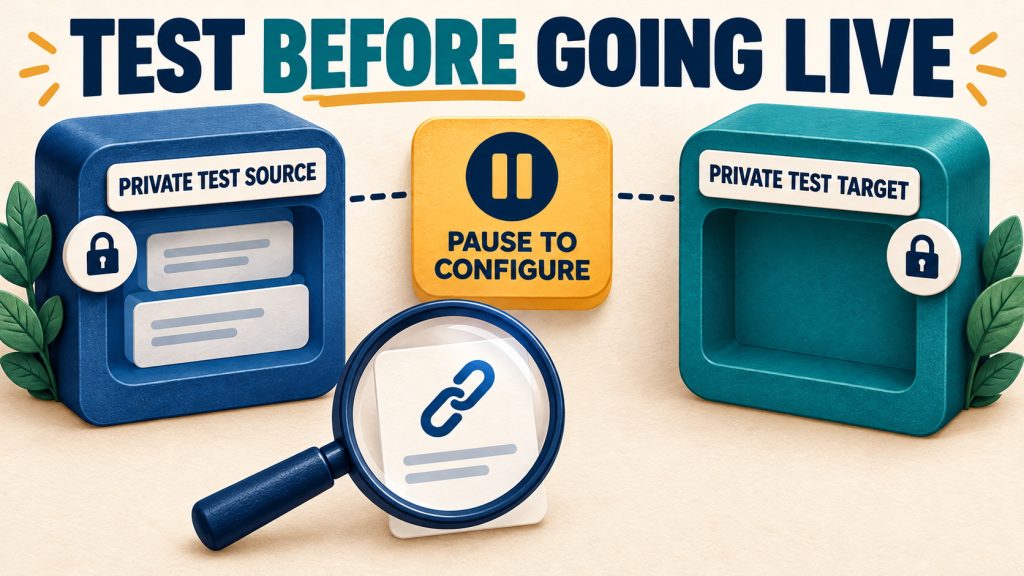
Your first affiliate forwarding task should send to a channel with no audience—not your live deal channel. Create two empty private test channels you control, connect them with one task, pause it immediately, and configure one supported affiliate mode. Then check three new source messages in the actual destination: a supported link, an unsupported link, and no link at all.
This gives you a practical answer to two different questions: did the message reach the right channel? and did the link receive the intended treatment? A saved ID or sample preview cannot answer both.
Use the current product: RedFox Auto Forward Telegram (@AutoForwardNew_Bot). The previous @Auto_Forward_Messages_Bot has moved to this handle. Configure your task through the Web dashboard, iOS app, or Android app.
AffiliateTelegram is AutoForward Messages’ official affiliate-workflow partner. We explain setup and use cases; AutoForward provides the forwarding platform.
1. Prepare an empty test route
In Telegram, create two private channels with names you can distinguish at a glance, such as Affiliate Test Source and Affiliate Test Target. These are suggested names, not existing demo channels. Keep both empty until the task is configured, and do not invite your real audience.
- Use the Telegram account connected to AutoForward. Confirm it can access the source and that the task’s sending account or bot can post to the target.
- Select only these two channels for this test. Leave live channels and connected external publishing destinations out of the route.
- Have your own affiliate ID ready for one supported marketplace or network. Copy it from your affiliate account, not from another publisher’s post.
- Choose a real supported product link you are allowed to share. Use simple test text without prices, coupon claims, or purchase buttons.
Why keep the source empty? The official task-creation guide says a newly created task is activated. An empty source reduces the chance of forwarding a message before you have finished configuring it.
This walkthrough focuses on new-message forwarding. Do not substitute a history-cloning or scheduling workflow and assume it uses the same affiliate processing path. For the broader source-to-destination design, see our no-code Telegram affiliate workflow guide.
2. Create the task, then pause it immediately
- Open Forwarding List and choose Create Task +, as described in the task-creation guide.
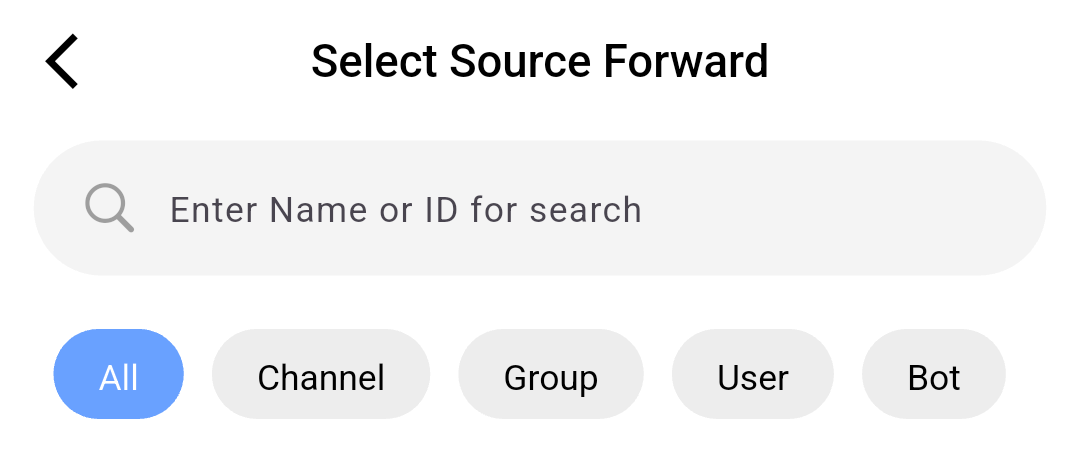
- On Select Source Forward, use the search field Enter Name or ID for search or the All / Channel / Group / User / Bot filters to locate your empty test source. Select that source, continue to the target selection described in the official guide, and choose your empty test target. Recheck the two names before continuing.
- Give the task a clear label such as
affiliate_test, review its details, and create it. - Return to the task list and pause this task immediately. Check its paused state before editing affiliate settings or adding any source messages.
If a new channel is missing from the selector, check that you are using the intended connected account and the correct chat-type filter. The creation guide recommends trying All and using Reload when a chat exists but has not synchronized. Avoid repeated reloads.
Closing the app does not pause a task. Activated tasks run in RedFox’s cloud without keeping the Web dashboard or mobile app open. That is useful once your route is ready; during setup, explicitly pause the task rather than relying on an inactive screen.
3. Configure one affiliate mode while the task is paused
For a direct-ID workflow, open the task’s feature settings and select Affiliate Monetization. Enable only the platform you use, enter your own corresponding affiliate ID, and save. This sequence is documented in the official Affiliate Monetization guide.
Direct-ID settings cover supported Amazon, Awin, Flipkart, Shopsy, Shopee, and eBay links. The ID must match the chosen program: a product ID or Shop ID is not an affiliate ID. Flipkart and Shopsy use independent IDs. For supported eBay item conversion, the Campaign ID is a 10-digit value; do not copy the shorter example in the broad setup guide.
Keep the first test simple: leave optional shortening, Final Redirect Link, AI rewriting, link-changing Replace rules, cleanup, and restrictive filters out of this initial check. Inspect whether existing rules already apply to the task. Later, add one control at a time and repeat the relevant cases. Do not use Apply For All Tasks while experimenting.
Other modes need a different setup, not an arbitrary ID in a similar-looking field:
- EarnKaro: select your own verified key with status Available. In releases that support marketplace selection, choose Default or EarnKaro for Amazon, Flipkart, Shopsy and Other; On Default, Amazon, Flipkart and Shopsy use their saved ID for supported direct links, or leave the link unchanged when no ID or compatible format is available; Other keeps its existing handling. Valid configured Awin, Shopee and eBay routes and existing AliExpress promotion links stay separate. Saved IDs remain on the task when a marketplace uses EarnKaro, and Final Redirect Link must be off. A task without those choices uses the legacy exclusive mode, where other active IDs, including AliExpress Tracking ID, affiliate shortening and Final Redirect Link conflict. Verification converts one link; it does not send a Telegram message.
- AliExpress: provide an existing supported promotion link created by your own affiliate account. A stored Tracking ID does not create a promotion link or retag someone else’s link.
- Myntra through a network: use task-scoped Replace based on your network’s valid link format. There is no dedicated Myntra ID field, and a made-up tracking parameter is not a substitute.
For your first direct-ID test, stick to the mode you already use. After saving, reopen the same task and confirm the platform, ID, source, target, and paused state. Saving proves configuration—not that a message was forwarded or a merchant accepted attribution.
Open AutoForward and configure your paused test task →
4. Use sample preview for the right question
When sample testing is available on your server, use it to inspect draft text and link treatment before sending. The AffiliateTelegram overview explains that sample testing does not post a message. If TeleURL is enabled, preview shortening may consume TeleURL quota.
A useful preview check asks: does a supported link show the intended ID or link treatment, and is the surrounding text intact? It does not establish Telegram delivery, target permissions, purchase-button behavior, or commission tracking. If no preview is available, use the controlled source-to-target test below rather than treating its absence as a failed conversion.
5. Activate and run three controlled cases
Recheck that the destination is still your private test target. Activate the configured task, then post the cases below to the test source one at a time. Wait for and inspect each result before posting the next. These are a test design and expected checks—not recorded results.
A: supported link
- What to post: A short note marked “Test A,” with one real product link supported by your selected direct-ID mode.
- What to check in the actual target: The message appears in the selected target. The link shows the intended affiliate treatment and still leads to the same product, seller, and variant where applicable. The note remains intact.
B: unsupported link
- What to post: A note marked “Test B,” with a public non-shopping information link outside that converter’s supported scope.
- What to check in the actual target: With the minimal direct-ID setup, the unrelated URL should remain unchanged. Forwarding a message is not proof its URL was converted. Do not treat this link as affiliate-ready.
C: no link
- What to post: A plain note marked “Test C,” with no URL.
- What to check in the actual target: The text reaches the target without an invented purchase link or an affiliate ID being inserted into ordinary text.
Separate the two destinations you are checking: the Telegram channel receiving the post, and the page opened by its purchase link. Open or inspect the actual URL, not just its visible text. Preserve the original product details for comparison. Do not make a purchase merely to complete this forwarding check.
Record the source message, target message, visible output URL, and whether each check passed. A compact worksheet can use these headings: Case | source message | target message | expected treatment | observed treatment | action. Leave the observation blank until you have actually inspected it.
If you later add a post with purchase buttons, verify each button URL separately. Correct caption processing does not prove that buttons use your affiliate settings. If you add filters, update the expected delivery for each case; a blocked message is different from a conversion failure.
Pause the task again after the test. Do not leave it active while investigating a surprising result.
Troubleshooting: find the failing stage before changing settings
No target message
- Check first: Task state, selected source/target, sender access, applicable filters, and any configured delay.
- Safe next action: Inspect the actual destination before replaying a source message. A preview cannot prove sending permissions.
Message arrives; supported link is unchanged
- Check first: Correct platform enabled, own ID saved, actual URL format supported, and no later Replace rule altering the output.
- Safe next action: Pause, correct one setting, reopen it to confirm, then try a new clearly marked case.
Settings will not save
- Check first: Required ID for each enabled platform, ID format, selected provider key status, and conflicting modes.
- Safe next action: Keep only the intended mode enabled for each link. For a legacy EarnKaro task, explicitly clear conflicts rather than assuming the software removes them; with marketplace selection, turn off Final Redirect Link instead of clearing saved IDs.
Long link appears instead of a short link
- Check first: Whether shortening is enabled for that link type and whether the selected TeleURL key is usable.
- Safe next action: Inspect the long affiliate destination. TeleURL failure can retain that eligible long URL; it does not prove that attribution succeeded.
EarnKaro conversion is failed or unclear
- Check first: Selected owned key is Available, the URL is provider-supported, and the task is compatible.
- Safe next action: Do not call the original message successfully converted. Inspect current state before retrying; a quota error requires waiting at least one minute.
When contacting support, provide the chosen mode, sanitized example URL, task label, time, expected result, and what appeared in the test target. Never include an API key, login token, password, or verification code. A setting visible in the app is not an executed forwarding result.
6. Move to real chats only after checking output
You can reuse the same task by editing its source and target. Keep it paused while doing so. Before activation, check:
- The real source is one you are authorized to republish, and the intended sender can post to the real target.
- The affiliate account, marketplace, and link mode match this channel’s content.
- Replace and filter rules are scoped to this task; other tasks were not changed by the test.
- Links, factual offer conditions, and required disclosures survive the final configuration.
- Your affiliate program permits the intended placement and any optional shortening.
Access to a source is not permission to redistribute its content. A correct output URL is also not a sales or commission receipt; those outcomes belong in your merchant or network’s reports.
Once the checks are satisfactory, activate the task deliberately. It can keep running in the cloud after you close the management screen. Continue inspecting your channel’s output, especially after changing a link mode, rule, or destination.
Your next step: complete the three-case check in your own private route before connecting a real audience. Start in the Web dashboard, or use the official iOS or Android app.